Cloud Support Engineer · Home assignment
Two servers, one website,
one monitor
Tony Verin
Times in UTC (Israel = UTC+2)
The task
Five steps
1
Website
Apache on 8080
2
Monitoring
Munin + HTTP check
3
Firewall
Block ping
4
Reboot
Prove it survives
5
Ticket
One real issue
Docs for every command. Predict, test, compare.
Architecture
Server 2 starts every connection
Browser → port 8080 (website)
Browser → port 80 (Munin web UI)
Server 1 · web
Apache :8080
munin-node :4949 (only listens)
172.31.0.217
Server 2 · monitoring
Munin master (every 5 min)
http_response check
munin-node (localhost) · Apache :80
172.31.1.95
HTTP check · TCP 8080
Munin pull · TCP 4949
Same VPC · private IPs
Step 1 · Website
Apache on port 8080
sudo apt install apache2
# /etc/apache2/ports.conf
Listen 8080
sudo systemctl restart apache2
Before restart
8080 refused. Still on 80.
After restart
8080 → 200. 80 refused.
Step 2 · Munin setup
Server 2 watches Server 1
1 SSH to Server 2 via Server 1 (bastion)
2 Server 2: Apache + Munin
3 Server 1: munin-node
4 munin.conf → points at Server 1
5 munin-node.conf → allow Server 2
Problem: 403 Forbidden
/munin blocked in browser
Require local
→ Require all granted
Reload Apache → page opens
Step 2 · Host metrics
What I monitor on Server 1
CPU load
How busy is it?
Memory
Enough RAM? Leaks?
Disk
Space for logs?
New sample every 5 minutes.
Step 2 · HTTP check
Existing plugin, run from Server 2
http_response
Official munin-contrib plugin
curl every 5 min
Status code + response time
No answer → U
Gap in the graph
# plugin-conf.d/http_response
[http_response]
env.sites http://172.31.0.217:8080/
env.max_time 5
Step 2 · Availability test
Stop Apache, Munin sees it
● 13:30 Apache up → 200
● 13:31 Apache stopped
● Next poll → gap
● ~40 min later restarted → 200
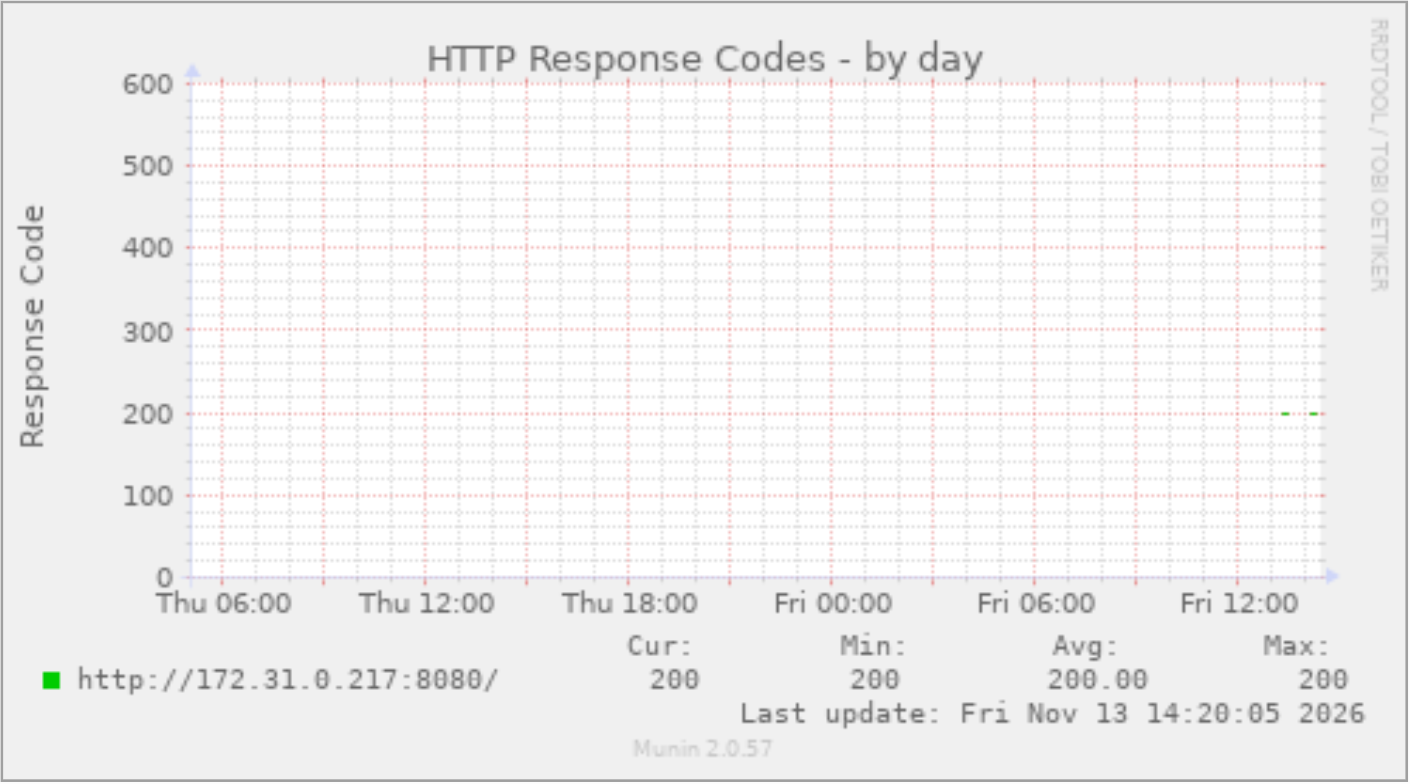
Munin: 200 → gap → 200
Port 4949 experiment · 1/3
Prediction, then block
4949 = Server 2 pulls data from Server 1
● Server 1 metrics stop
● HTTP check still works (8080)
# Server 2
iptables -I INPUT 1 -i lo -j ACCEPT
iptables -I OUTPUT 1 -o lo -j ACCEPT
iptables -A OUTPUT -p tcp --syn --dport 4949 -j REJECT
iptables -A INPUT -p tcp --syn --dport 4949 -j REJECT
Port 4949 experiment · 2/3
The block works
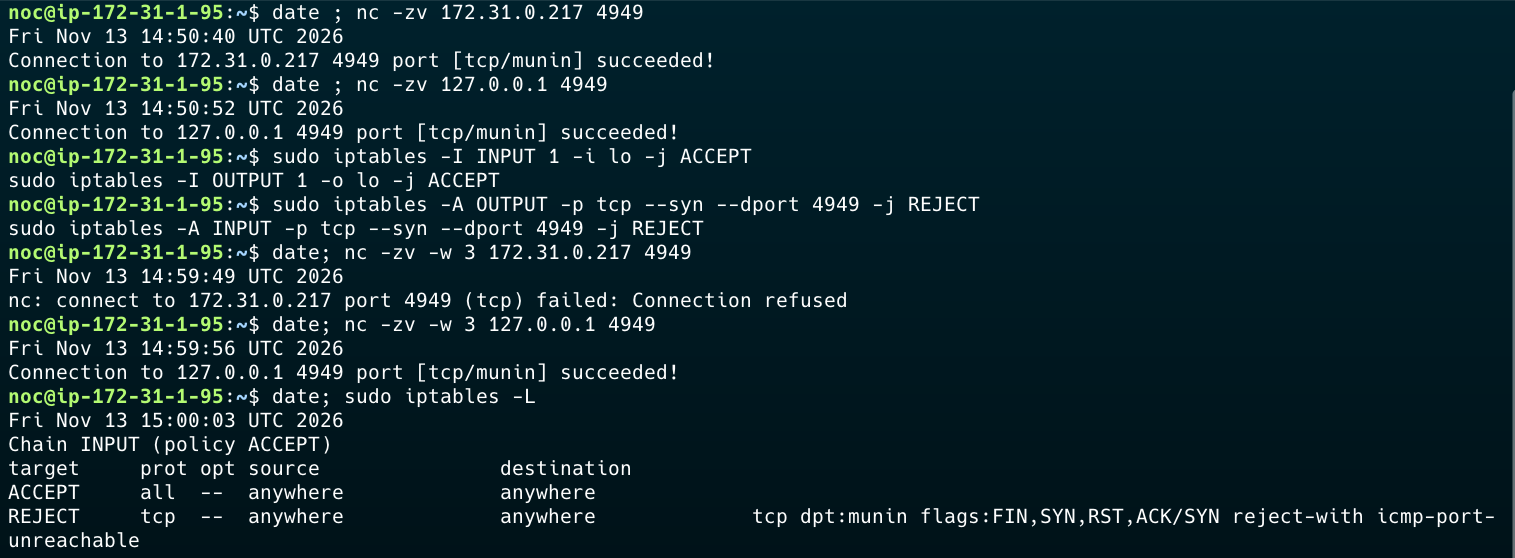
To Server 1: refused · loopback: OK
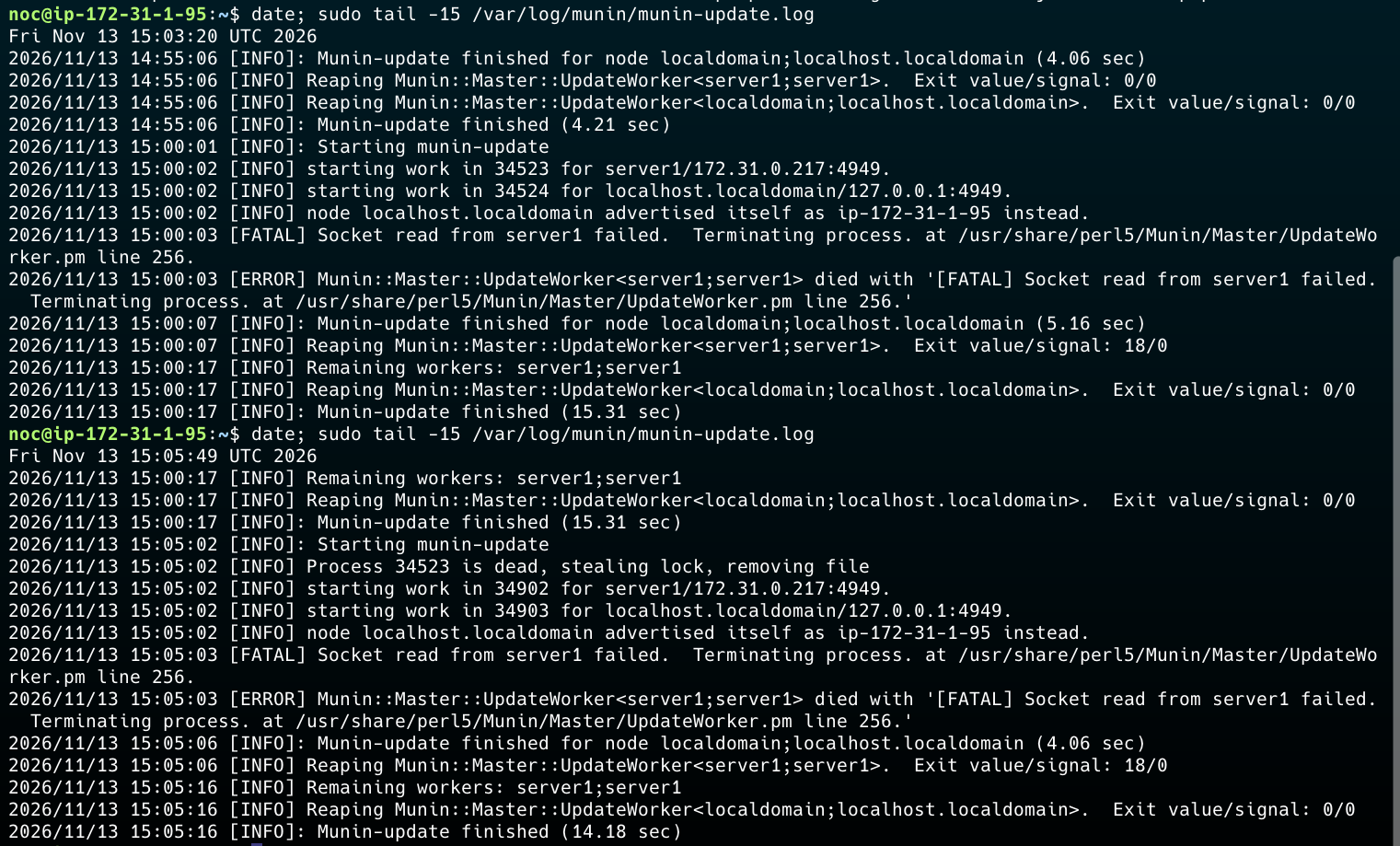
Munin log: server1 failed, two polls in a row
Port 4949 experiment · 3/3
Prediction matched
● Server 1 metrics: old data
● HTTP check: new data, 200
● Munin page: loads
● Rules removed → data back next poll
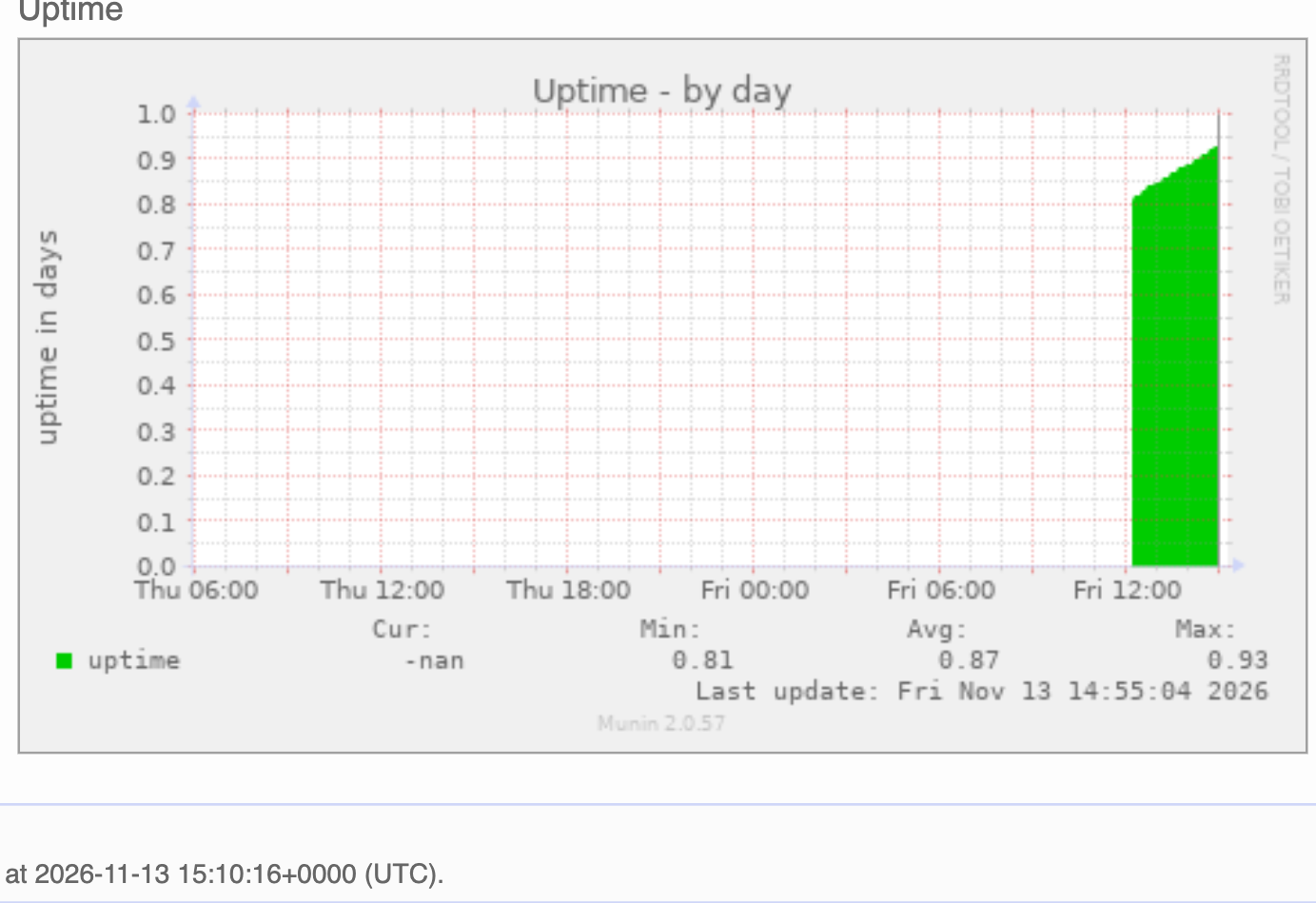
Last update frozen
Step 3 · Block ping
Ping blocked both ways
# on each server, source = other server
iptables -A INPUT -s <other-ip> \
-p icmp --icmp-type echo-request -j DROP
● Saved with iptables-persistent
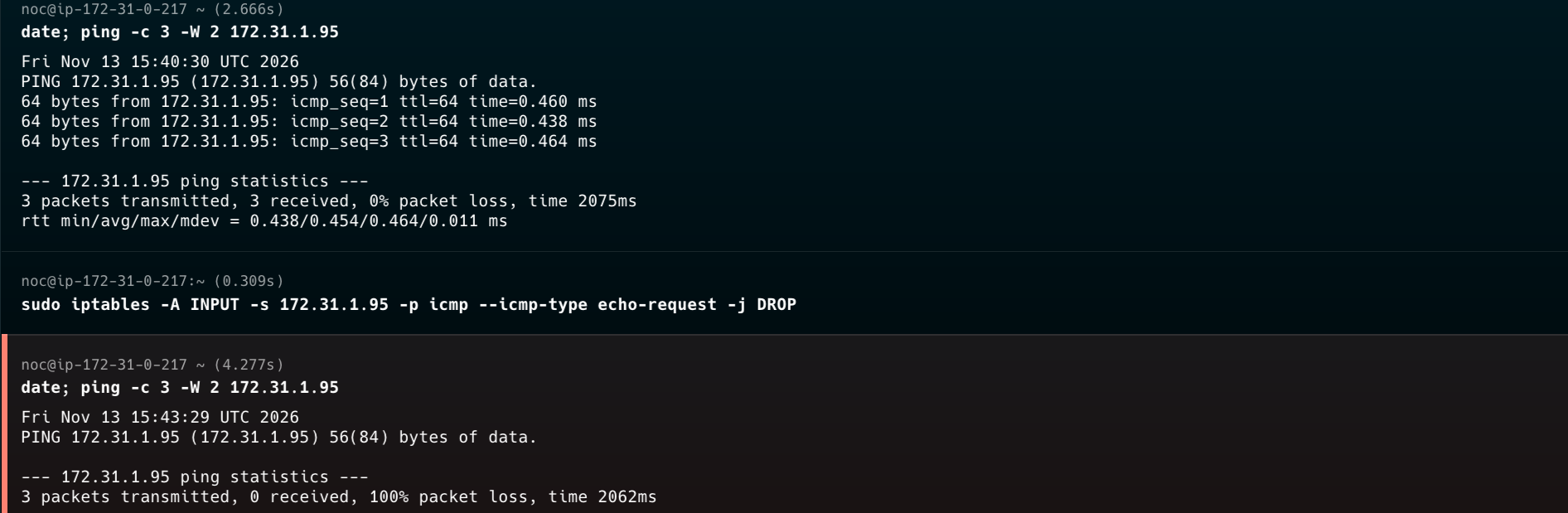
Server 1 → 2: 0% loss → 100% loss
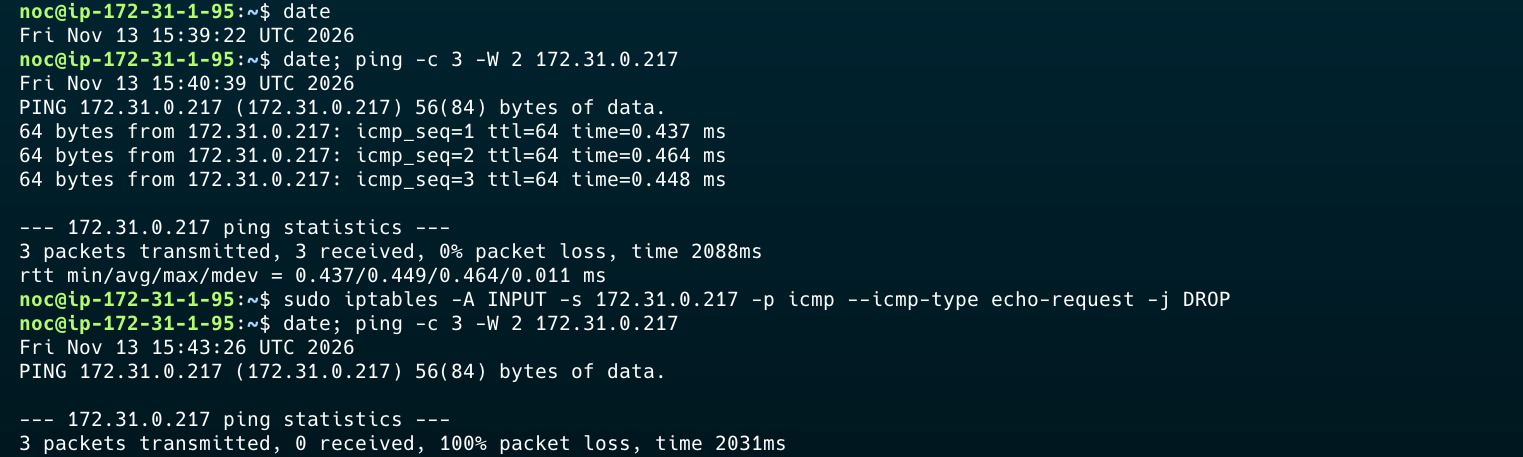
Server 2 → 1: 0% loss → 100% loss
Step 4 · Reboot both servers
Everything came back
8080 → 200 · 80 refused
Munin: fresh data after boot
Ping still blocked
No 4949 rules
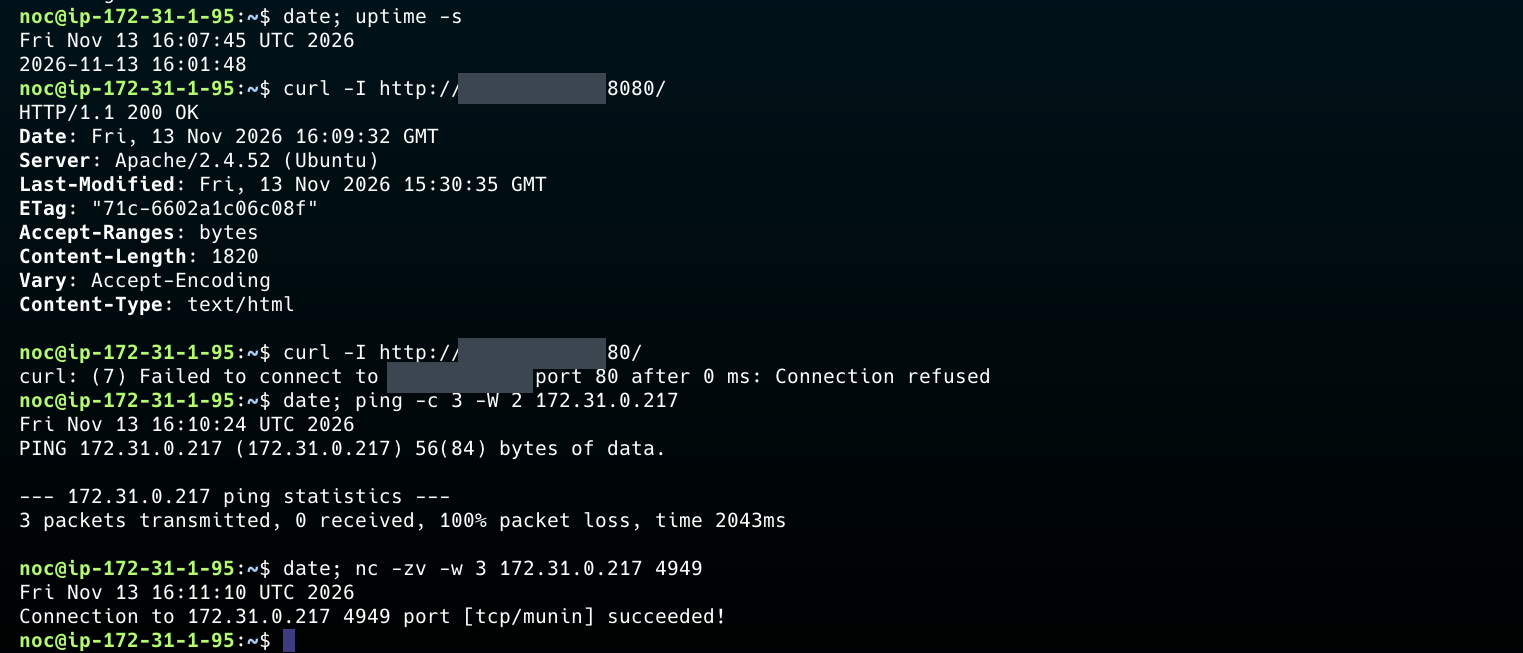
Server 2 after boot (public IP hidden)
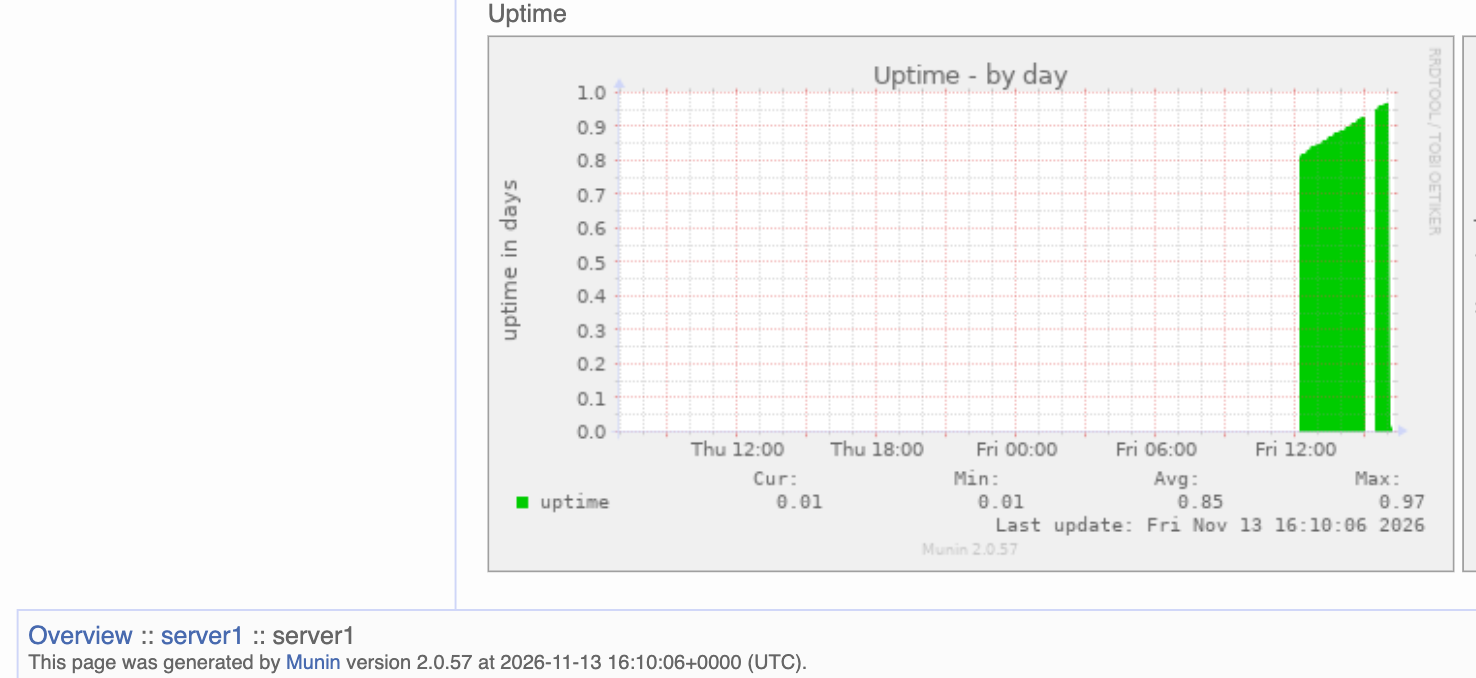
Server 1 uptime reset in Munin
Step 5 · Support ticket
403 Forbidden after Munin install
Ticket
Resolved
Symptom: /munin → 403
Impact: monitoring page down
Cause: apache24.conf, Require local
Fix: Require all granted
Check: /munin opens
SSH to Server 2
Open
Fact: no SSH from outside
Workaround: via Server 1
Suspect: allowed only from VPC
What I learned